
Karachi Board 12th Class Pre-Medical Result
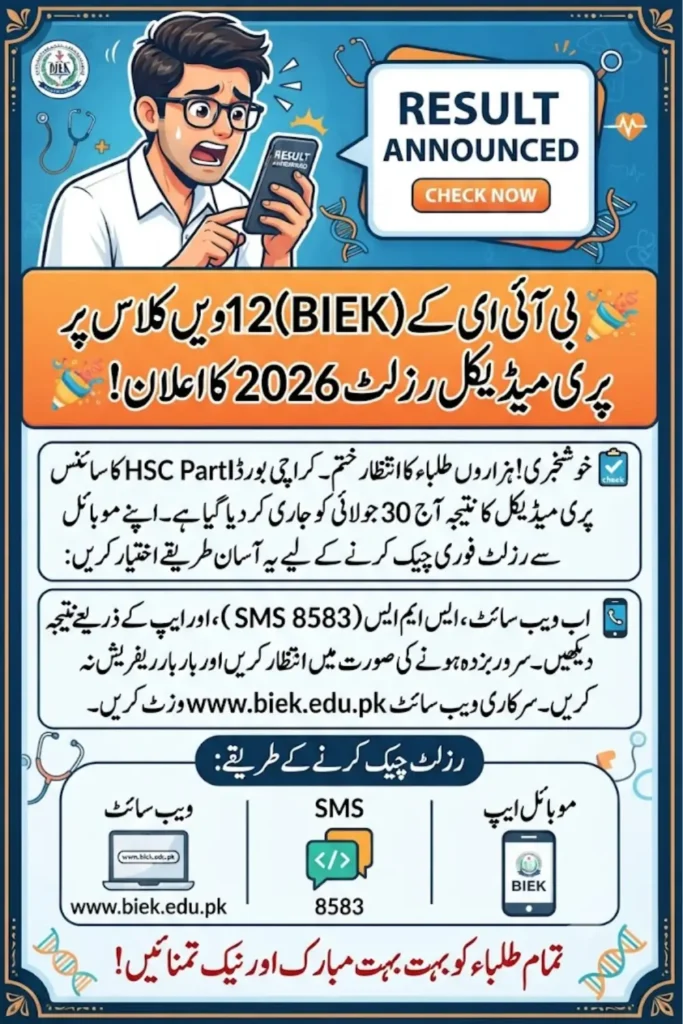
Waiting for your 12th class result can feel like the longest day of the year, and for Pre-Medical students of the Board of Intermediate Education Karachi, that day has finally arrived. The BIEK 12th Class Science Pre-Medical Result 2026 for the HSC Part II Annual Examination is being announced, and thousands of students across Karachi are refreshing their phones and laptops to see how they did.
If you appeared in this year’s Pre-Medical exams under BIEK, this guide will walk you through every single way you can check your result today. From the official website to SMS and the mobile app, we have covered all the options so you don’t have to search around while your nerves are already on edge.
12th Class Pre-Medical Result 2026
HSC Part II Annual Examination · Science Pre-Medical Group
Please enter a valid roll number before continuing.
Your roll number is only used locally in this browser to build the SMS text and result link below. It is never stored or sent anywhere by this widget.
Check on the official website
The most reliable source, straight from BIEK’s own result portal.
- 1Open the official BIEK results section
- 2Select “HSC Part II Annual Examination 2026”
- 3Choose “Science Pre-Medical Group”
- 4Enter roll number (shown here once typed above) and submit
Check by SMS, no internet needed
Send this text to 8583 from your registered mobile number.
Reply times can be slower than usual if many students send requests at once. Avoid sending the same message twice.
Check on the BIEK mobile app
A handy backup when the website is busy with heavy traffic.
- 1Install the official BIEK Android app
- 2Open the “Results” section inside the app
- 3Enter your roll number to view the result
Browse the result gazette
Lists roll numbers of successful candidates, pass percentage, and position holders.
View Official Gazette →When Is the BIEK Pre-Medical Result 2026 Being Announced?
The Board of Intermediate Education Karachi has confirmed that the 12th Class Science Pre-Medical Group result for the HSC Part II Annual Examinations 2026 will be declared on Thursday, July 30. This announcement brings relief to a huge number of students who sat for their papers earlier in the year and have been waiting anxiously since then.
What the board has not shared yet is the exact time of the announcement. In past years, BIEK has usually released results sometime around midday or early afternoon, but there is no official confirmation on the clock time for this year. Students are advised to keep checking the official BIEK website and social media pages through the day rather than assuming a fixed hour, since boards often adjust timing based on last-minute preparations or gazette approvals.
New MG ZS Price in Pakistan 2026: Hybrid+ & Petrol Variants
Why This Result Matters So Much
For Pre-Medical students, this result is not just a report card, it is often the deciding factor for admission into medical and dental colleges. Your HSC Part II marks, combined with your MDCAT score, determine your eligibility for MBBS and BDS programs across Sindh. That is exactly why so many students and parents are anxious about today’s announcement.
It is also worth remembering that this result reflects two years of hard work, not just the final exam. Students who have consistently performed well throughout their intermediate years usually see that effort reflected in their final Part II score. If your result today feels lower than expected, know that the rechecking process exists for a reason, and we will touch on that later in this article.
How to Check Your BIEK Result Online
Checking your result through the official website remains the most reliable and widely used method. Since it comes directly from BIEK’s own system, there is no risk of receiving incorrect or outdated information, unlike some third-party websites that sometimes post unverified figures too early.
Here is exactly how you can check your Pre-Medical result online:
- Visit the official website at www.biek.edu.pk
- Click on the Results section on the homepage
- Select HSC Part II Annual Examination 2026
- Choose the Science Pre-Medical Group from the list
- Enter your roll number carefully in the given field
- Click the search or submit button to view your result
Once your result appears on the screen, take a screenshot or download it right away for your own record. This online copy is provisional and meant for temporary use only. Your actual, original marksheet will be issued later through your respective college, so you will still need to visit your institution to collect the official document.
Common Mistakes Students Make While Checking Online
A lot of students end up frustrated on result day simply because of small, avoidable errors. Double-checking a few basics before you panic can save you a lot of stress.
- Entering the wrong roll number format, such as adding extra spaces or missing digits
- Trying to access the website during peak traffic hours when servers are slow
- Refreshing the page repeatedly instead of waiting a few minutes for it to load
- Using an outdated browser that may not display the result page properly
- Confusing the Pre-Medical group link with Pre-Engineering or Commerce group links
If the website seems slow or unresponsive, it is usually because thousands of students are trying to access it at the same time. Waiting ten to fifteen minutes and trying again is often more effective than repeatedly refreshing the page.
Check Your Result Through SMS
Not everyone has stable internet access on result day, and BIEK understands that. The board offers an SMS service that lets you check your result directly from your mobile phone, no internet connection required.
To use this service, open your messaging app and type the word BIEK, leave a single space, and then enter your roll number. Send this message to 8583. Within a short while, you should receive a reply containing a summary of your result, including your marks and overall status.
Keep in mind that this SMS service can slow down significantly when a large number of students send requests around the same time, which is very likely to happen on result day. If your reply doesn’t arrive immediately, wait a bit and avoid sending the same message multiple times, as this can add to the congestion and delay things further for everyone.
Other Ways to Access Your Result
Besides the website and SMS, BIEK also provides a couple of additional channels that make checking your result more convenient depending on your situation.
Using the BIEK Mobile App
For students who prefer using their smartphones over a browser, the result may also be available through the official BIEK Android application. Simply install the app from a trusted source, open the results section within it, and enter your roll number to view your marks. This can be a handy backup option if the website is running slow due to heavy traffic.
Since the app pulls data directly from BIEK’s own servers, the information you see should match exactly what appears on the official website. It’s a good idea to have this app installed ahead of time on future result days so you’re not scrambling to download it at the last minute.
The Result Gazette
Along with the individual result checking options, BIEK is also expected to issue the complete Pre-Medical result gazette. This gazette is a detailed document that lists the roll numbers of all successful candidates, group-wise statistics, the overall pass percentage, and details of position holders.
The gazette is particularly useful for colleges, teachers, and parents who want to see the bigger picture, such as how the entire batch performed this year compared to previous years. Students who want to verify their own status against the official record can also cross-check their roll number within this document once it is released.
Vlektra Velocity 180 SE Installment Plans in Pakistan: Monthly Payments, Down Payment Details
Quick Reference: Result Checking Methods
| Method | What You Need | Best For |
|---|---|---|
| Official Website (biek.edu.pk) | Roll number, internet connection | Detailed result with subject-wise marks |
| SMS to 8583 | Roll number, mobile signal | Students without reliable internet |
| BIEK Mobile App | Roll number, app installed | Smartphone users, backup option |
| Result Gazette | None, browse by roll number | Verifying against official records |
What to Do After You See Your Result
Once your result is out, there are a few practical steps worth keeping in mind, especially if you plan to pursue medical or dental studies.
| Step | Action | Why It Matters |
|---|---|---|
| 1 | Screenshot or download the online result | Temporary proof until your official marksheet arrives |
| 2 | Collect original marksheet from your college | Required for admissions and future record keeping |
| 3 | Check eligibility for rechecking, if needed | Corrects totaling or marking errors, not re-evaluation |
| 4 | Prepare MDCAT-related documents | Needed alongside HSC marks for medical college admission |
| 5 | Follow only official BIEK channels for updates | Avoids confusion from unverified social media posts |
A Word on Unofficial Information
Result day tends to bring out a flood of information on social media, some of it accurate and a lot of it not. Names of position holders and pass percentage figures often circulate on WhatsApp groups and Facebook pages long before the board confirms anything officially.
It is best to treat any such information as unconfirmed until it appears on the official BIEK website, the app, or verified social media pages linked to the board. Relying only on official sources protects you from unnecessary confusion, especially when it comes to something as important as your academic record.
Final Thoughts
Result day is stressful no matter how prepared you feel, but having a clear plan for checking your result makes the process much smoother. Whether you choose the official website, the SMS service, or the mobile app, make sure you keep your roll number handy and stay patient if servers are slow due to heavy traffic.
Remember that this provisional result is just the first step. Your original marksheet will follow through your college, and if anything seems off, the rechecking process is there to help. Good luck with your results, and take the next step in your medical education journey with confidence.
Frequently Asked Questions
1. When will the BIEK 12th Pre-Medical Result 2026 be announced? The result is being declared on Thursday, July 30, though the exact time of announcement has not been officially confirmed by the board yet.
2. How can I check my BIEK result without internet access? You can send an SMS with the word BIEK, a space, and your roll number to 8583 to receive your result summary directly on your phone.
3. Is the online result the final official document? No, the online result is provisional and meant for temporary use only. Your original marksheet will be issued through your college later.
4. What should I do if my result seems incorrect? You can apply for rechecking, which reviews marking and totaling errors only, not a full re-evaluation of your answers.
5. Where can I find the list of position holders? Position holder details are included in the official result gazette released by BIEK, so avoid trusting unverified names shared on social media.
Inter Part-II Practical Exams 2026: Punjab Boards Introduce New Centralized Marking System